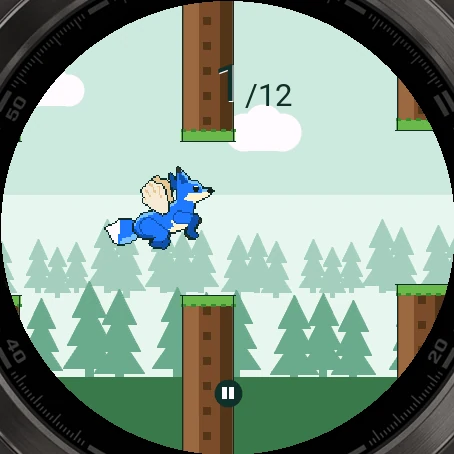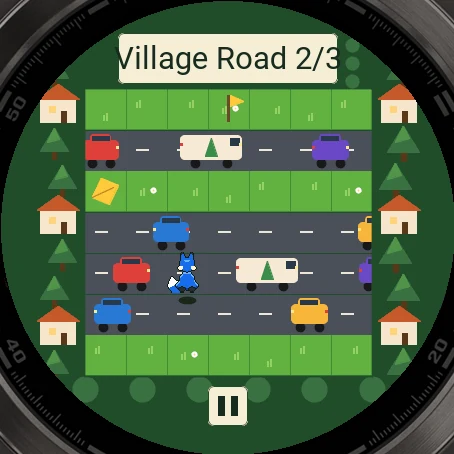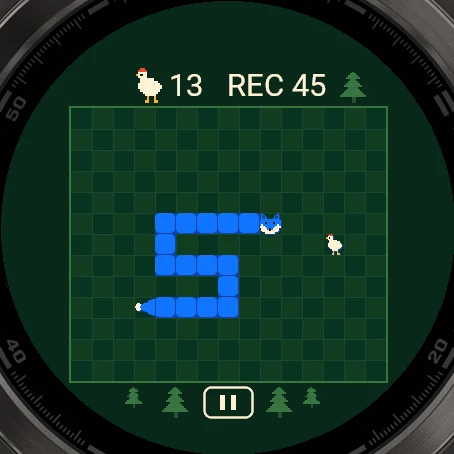

Pictures from the simulator
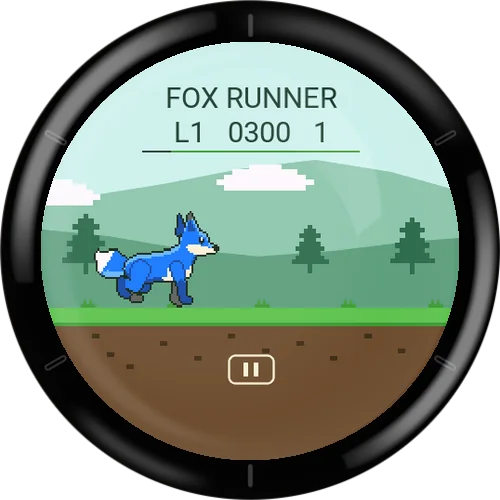
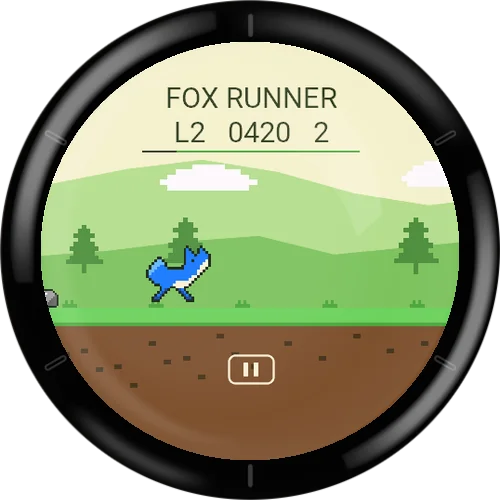
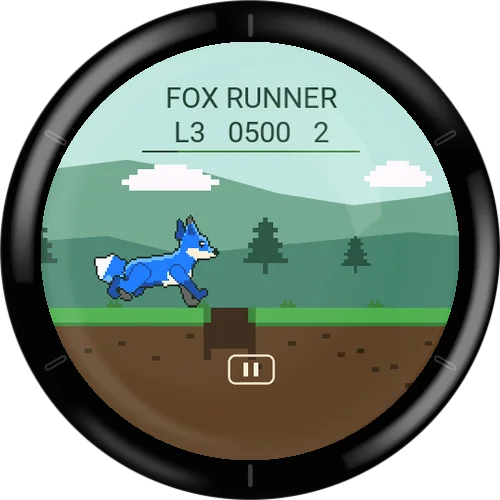
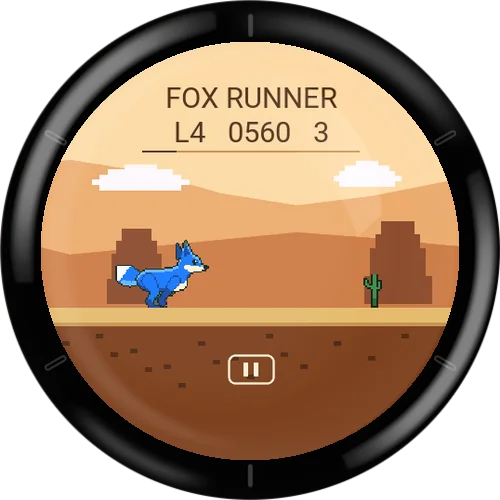
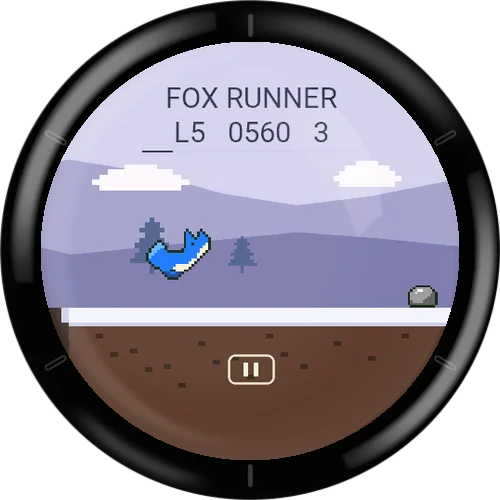
Fox Runner
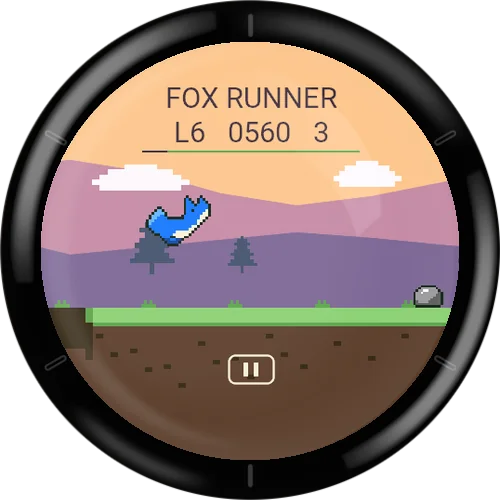
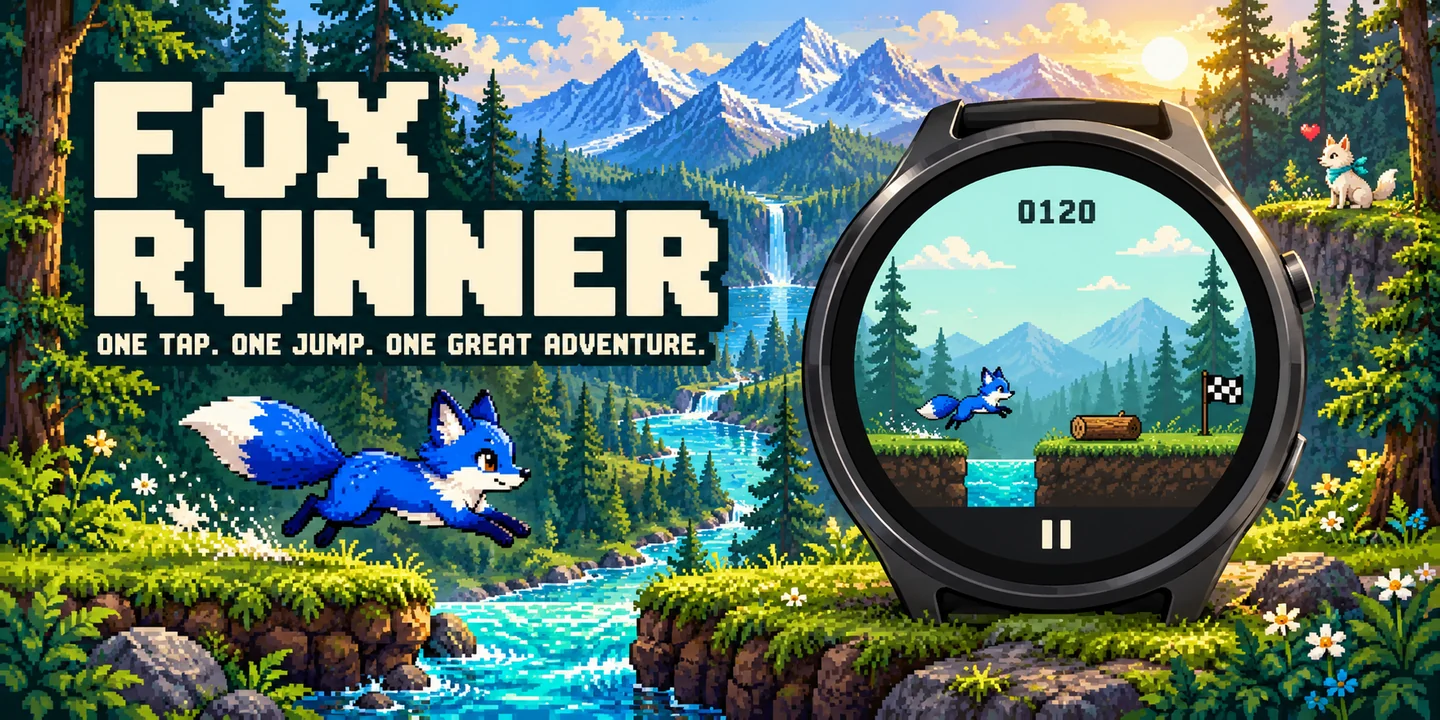
The fox runs by itself – a tap or a button press makes it jump. Over logs, rocks and cacti, across ditches and rivers, through forest, meadow, canyon, winter woods and mountains.
Six hand-made levels with up to three stars, then a heart-warming finale – and the endless mode with an online leaderboard: overall and new every week.
Free to play: install the game from the Connect IQ Store on your phone or in the Garmin Connect IQ app.
Join in: in the app under Leaderboard → Join. No account, with a player name of your choice.
Free to play, happy to be supported
All my games are free. To keep programming new games I depend on donations. If you enjoy this game, I would be glad about a small contribution.
Go to the donation pageFeatures
- 6 levels of rising difficulty
- Up to 3 stars per level for precise jumps
- Endless mode with online leaderboard (overall and weekly)
- Choose the fur: blue, orange, red, green, violet, pink
- Touch or button, pause at any time
- Plays offline, German and English
Fox Runner
Wallpapers
Free phone wallpapers for this game - tap one to download it (1440 x 3200).



Game guide
Everything about the game: how it is played, every menu and every setting.
- How to play
- Goal and scoring
- Levels and stars
- Endless mode and leaderboard
- Menus and screens
- Settings
- Settings: Game
- Settings: Display
- Settings: Controls
- Small watches and supported devices
- Tips
How to play
Fox Runner is a one-button runner for your Garmin watch. The blue fox runs by itself from left to right. Your only job is to make it jump at the right moment.
The fox jumps once per tap or button press. There is no second jump in the air. A jump lasts about 0.8 seconds, so press a little before the obstacle, not right in front of it.
Rocks, logs, stumps and cacti are jumped over. Ditches and rivers break the ground: if the fox is not in the air when it reaches the gap, it falls.
Every run starts with a 3-2-1-Go countdown. Presses during the countdown do not count.
- Touch screen
- Tap anywhere in the game view to jump. On touch watches a small pause button sits in the band below the game view; tapping that band pauses.
- Button
- START / ENTER (SELECT on watches without a START button) makes the fox jump. BACK pauses.
- Pause
- BACK or the band below the game view pauses the run and opens the pause menu. Continuing always starts with the 3-2-1 countdown.
- Automatic pause
- If you leave the game screen, or the watch does not run the app for a while, the run is paused. Press the jump button or tap to continue with the countdown.
Goal and scoring
In the six levels the goal is the finish flag at the end of the track. The top bar of the screen shows the level number (L1 ... L6), the distance covered and your number of jumps. A thin progress bar at the top edge shows how far along the track you are.
Fewer jumps are better: every level has an optimal number of jumps, and your stars depend on how close you get to it (see Levels and stars).
In Endless mode there is no finish. The track never ends, the fox gets faster over time, and the score is the distance you cover before the fox falls or hits an obstacle. The screen shows the current distance and your best distance.
A run ends with a message depending on what went wrong: "Ouch!" (hit a rock, log, stump or cactus), "Into the ditch!" (fell into a ditch) or "Splash!" (fell into a river). On success the message is "Made it!".
Levels and stars
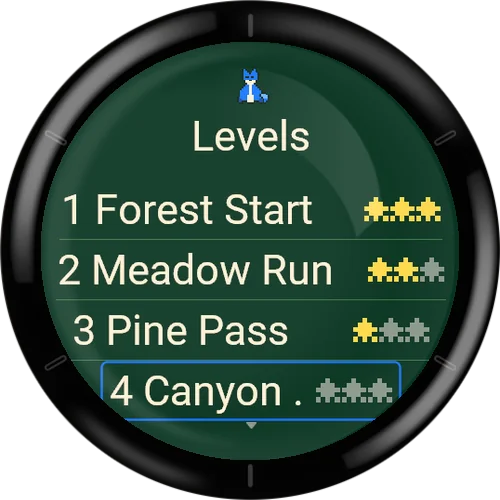
There are six levels. Level 1 is open from the start; each finished level opens the next one. The level select screen shows the stars you have earned and, for the highlighted level, your best number of jumps next to the optimal number.
Stars: 1 star for reaching the finish. 2 stars if you needed at most one jump more than the optimal number. 3 stars if you needed exactly the optimal number of jumps (every obstacle jumped once, no extra jumps). A star is never taken away; the best result is kept. The maximum is 18 stars in total.
- 1 Forest Start
- Speed 50 per second, about 45 seconds. 17 obstacles (logs and rocks). Optimal: 17 jumps.
- 2 Meadow Run
- A bit faster, about 50 seconds. 20 obstacles; the first ditches appear. Optimal: 20 jumps.
- 3 Pine Pass
- About 55 seconds. 24 obstacles; stumps and wider ditches. Optimal: 24 jumps.
- 4 Canyon Dash
- About 60 seconds. 28 obstacles; cacti and long ditches. Optimal: 28 jumps.
- 5 Frost Trail
- About 65 seconds. 30 obstacles; rivers join the ditches. Optimal: 30 jumps.
- 6 Summit Sprint
- The fastest and longest level, about 75 seconds. 40 obstacles of all kinds. Optimal: 40 jumps.
Endless mode and leaderboard
Endless mode opens after you have finished level 6 and watched (or skipped) the finale. Until then the Endless entry in the Play menu is shown as Locked.
Speed in Endless mode starts at the speed of level 2 and rises by a small step every 30 seconds of play until it reaches a top speed. The track is put together from short obstacle patterns that get harder with distance. Pause time does not count.
The online leaderboard is optional. You need no account and no e-mail address: when you join, the game gets an automatic player name from the server (for example Fox-Swift-4821). Without joining you can still play Endless mode; only your local record is kept.
- Overall
- One shared track for everybody that never changes. Your best distance counts for the all-time list.
- This Week
- A weekly competition with its own track. The week runs from Monday 00:00 to Monday 00:00 UTC, and the list shows how long the week still lasts. A new list starts every week.
- Local records
- Plays Endless without any online connection. The best distance is stored on the watch only.
- Join
- Creates your online player. It needs a phone connection and takes a moment. You can join from the Endless menu (choosing Overall or This Week before you have joined opens the setup), from the Leaderboard screen, or from Settings > Leaderboard setup. After joining the screen shows "You play as" with your player name.
- Change alias
- Shows a one-time code and a web address. Open the address in a browser on your phone or computer, enter the code and type a new name. The code is valid for 10 minutes. Names are 3 to 16 characters (letters, digits, space, underscore, hyphen).
- Delete online data
- Asks for confirmation and then deletes your online player, runs and scores from the server and removes the online identity from the watch. You can also delete from the web page. Your local progress and local Endless record stay on the watch.
- Sync
- Shows OK or how many results are still pending. If a result could not be sent because the connection failed, the watch keeps up to three and sends them again the next time you open the leaderboard. Select the row to try again right away.
- After an online run
- The result screen shows your rank and the gap to the next place, "Pending" while the result is on its way or not yet sent, or "Rejected" if the server did not accept it. If no connection to the server is possible at the start, you simply play a local run instead.
- Checked by the server
- For online runs the watch sends the timing of your jumps, and the server replays the run itself to calculate the distance. Only valid runs are listed.
Menus and screens
In all menus, use the UP / DOWN buttons to move the highlight, START / SELECT to choose and BACK to go back. On touch watches tap a row. Rows that cannot be used (greyed out) explain why when you choose them.
- Main menu
- Shows FOX RUNNER and your total stars out of 18. Entries: Play, Leaderboard, Settings, Help, Quit.
- Play
- Entries: Levels and Endless (shown as Locked with the note "Endless opens after level 6." until you finish level 6). Once the campaign is finished, Watch finale again is added.
- Level Select
- Lists the six levels with name and stars. Locked levels are greyed. The note shows your best number of jumps and the optimal number for the highlighted level.
- Endless menu
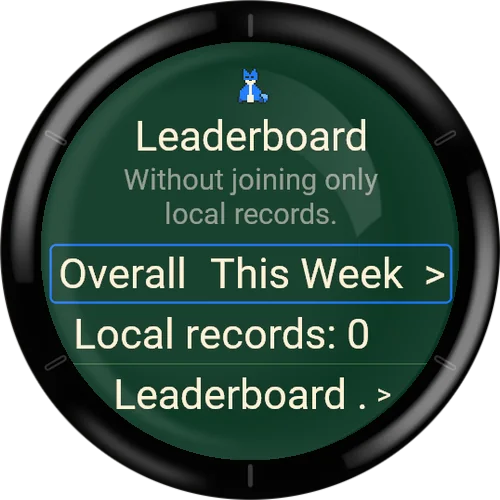
- Overall, This Week and Local records (with your best distance). Overall and This Week are only available after joining; otherwise the note says "Without joining only local records."
- Game screen
- Shows the level number or the distance, the number of jumps (levels) or your best (Endless) and the progress bar. Messages appear in a small panel: 3-2-1, Go!, Paused, Loading ..., Ouch!, Into the ditch!, Splash! and Made it!.
- Pause menu
- Shows distance and jumps so far. Entries: Resume, Restart, Settings, Main Menu. Restart and Main Menu ask "Discard the current attempt?" (Yes / No, No is preselected). BACK in the pause menu resumes.
- Result after a level
- Title "Made it!" with the number of jumps and the optimal number, your stars, and the entries Level (next number), Restart and Level Select. BACK returns to the level select.
- Result after a failed try
- Title "Try again?" with distance and jumps. Entries: Restart and Level Select.
- Result after Endless
- Shows the distance, "New record!" if it beats your best, and for online runs the rank, gap or status. Entries: Restart, Leaderboard, Main Menu.
- Finale
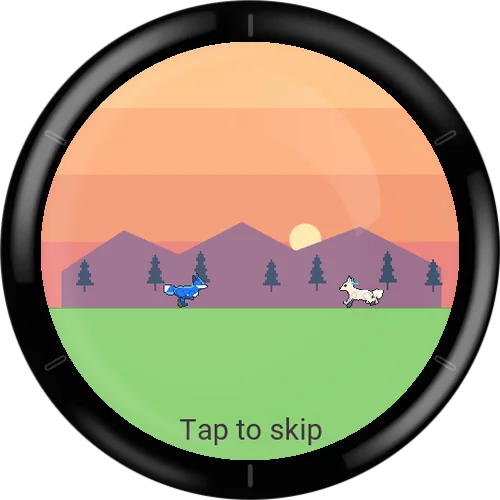
- After finishing level 6 a short animation of about 8 seconds plays. Tap or press a key to skip it after the first second. Your progress is saved before the finale starts.
- Campaign done
- Shows "6/6 levels done", your stars and "Endless unlocked!". Entries: Endless, Levels, Watch finale again, Main Menu.
- Leaderboard
- Select the first row to switch between Overall and This Week. The list shows the top 10; your own entry is marked with ">" and "You". If you are not in the top 10, your entry is shown below "..." together with the players around you. The last row shows your local record. Notes: "Loading ...", "No leaderboard loaded yet", "Offline - last list" (the last saved list is shown when there is no connection). Without joining you see your local record and the entry Leaderboard setup.
- Help
- Four pages: Jumping, Gaps, Pause, Modes. Use UP / DOWN to turn pages; START / SELECT or a tap goes to the next page and closes Help on the last one.
- Reset confirmation
- Reset progress opens a Yes / No question (No is preselected) and confirms with "Progress reset."
Settings
Open Settings from the main menu or from the pause menu. It has four entries. The first three are pages of settings numbered 1/3 to 3/3; choosing a setting opens a short list of its values, and choosing a value saves it at once.
While a run is active (also while paused) the note "Game changes apply from the next start." is shown. The app texts are available in German and English only.
- Game
- Mode, Vibration, Countdown, Reset progress.
- Display
- Fox Colour, Details, Contrast, Language.
- Controls
- Input, Jump, Button, Show Help.
- Leaderboard setup
- Join, Change alias, Sync and Delete online data (see Endless mode and leaderboard).
Settings: Game
Settings > Game.
- Mode: Levels / Endless
- Meant to select between levels and Endless. The in-game text says: a run starts from Play. Endless can only be chosen after the campaign is finished; before that it is shown as Locked.
- Vibration: Off / On
- A short buzz when the fox falls and when a level is finished. The default is On if the watch can vibrate. Watches without vibration show the setting greyed out with the note "This watch does not support vibration."
- Countdown: Off / On
- The in-game text says: 3-2-1 before the start and after every pause. The default is On.
- Reset progress
- Asks "Yes / No" and then clears only the levels, stars and unlocks on the watch. Settings, the online ID and online records stay. Endless is locked again until you finish level 6.
Settings: Display
Settings > Display.
- Fox Colour: Blue / Orange / Red / Green / Violet / Pink
- Fur colour of the fox. Each row shows a colour swatch and the fox is shown in the highlighted colour as a preview. The default is Blue.
- Details: Auto / Reduced / Full
- Full shows clouds, hills and more poses; Reduced draws a simpler scene that is easier on slow watches. Auto chooses Full on screens at least 240 pixels wide and Reduced on smaller ones. On watches with little memory Full is limited to Reduced (shown with a * and a note). If the watch turns out to draw too slowly, the game switches to Reduced for the rest of the session.
- Contrast: Normal / High
- High strengthens outlines and removes background details, which makes the fox and obstacles easier to see.
- Language: Deutsch / English
- Language of the texts in the app. The default follows the watch language: German if the watch is set to German, otherwise English.
Settings: Controls
Settings > Controls.
- Input: Auto / Touch / Buttons
- Auto lets both the touch screen and the jump button make the fox jump. Touch lets only taps jump; Buttons lets only the button jump. Pause and BACK always work. Touch is not available on watches without a touchscreen, Buttons not on watches without a suitable button; in that case the row is greyed out and explains why.
- Jump
- Information row: shows Tap on touch watches. Choosing it explains which input jumps.
- Button
- Information row: shows which button makes the fox jump (START or SELECT depending on the watch). BACK pauses.
- Show Help
- Opens the four help pages.
Small watches and supported devices
Fox Runner is made for round and rectangular Garmin watches with enough app memory. It does not run on older watches with only 128 KB of app memory (for example Forerunner 55, fenix 5 and 6 series, Forerunner 245, 645 and 935, vivoactive 3, Venu Sq, Enduro) or on Instinct and Edge devices.
The game always shows the same stretch of track, scaled to the screen, so the difficulty is the same on every watch.
On watches with less than about 200 KB of app memory the detail level Full is not available and is limited to Reduced; the Details setting then shows a * and a note. Slow drawing can also switch the game to Reduced during a session.
Watches without a touchscreen are played with the button only; watches without a vibration motor have the Vibration setting switched off. The leaderboard needs the watch to be connected to your phone.
Tips
- Press early
- A jump takes about 0.8 seconds. Press shortly before the obstacle so that the fox is already in the air when it arrives.
- Buffered landing press
- A press shortly before the fox lands (about 0.08 seconds) is remembered, so two obstacles in a row can be cleared with a quick second press right at the landing.
- Edges
- A foot on the edge of a ditch still carries the fox. You do not have to jump at the last possible moment.
- For three stars
- Jump exactly once per obstacle. Extra jumps cost stars.
- Endless
- Do not hurry the first minute: the speed rises slowly, and the early patterns are the easiest. Pausing does not use up the speed steps.
- Practice
- Play the levels again to improve stars and jumps. Only better results are saved.