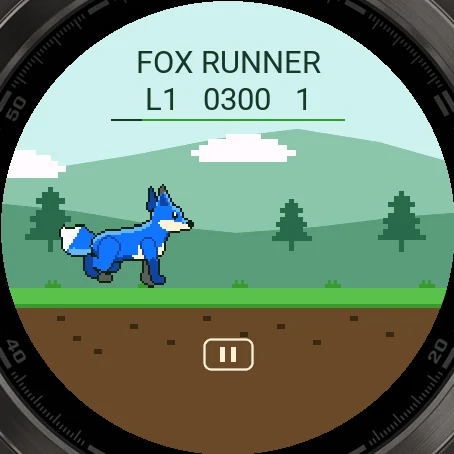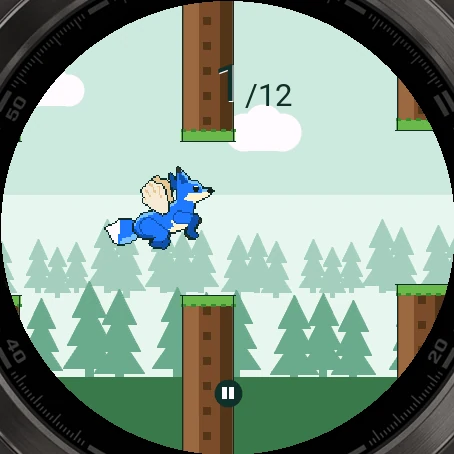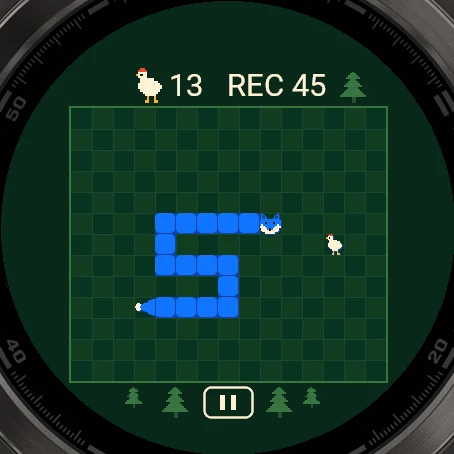
Pictures from the simulator
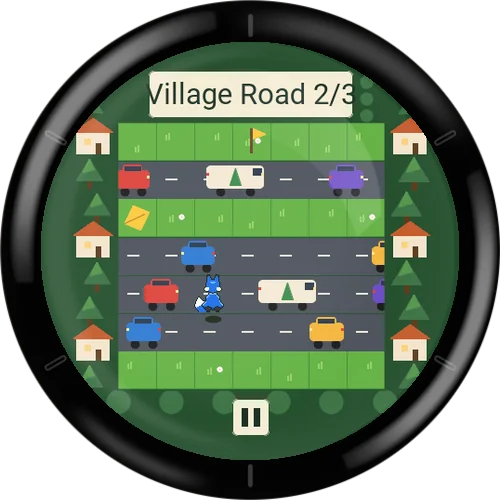
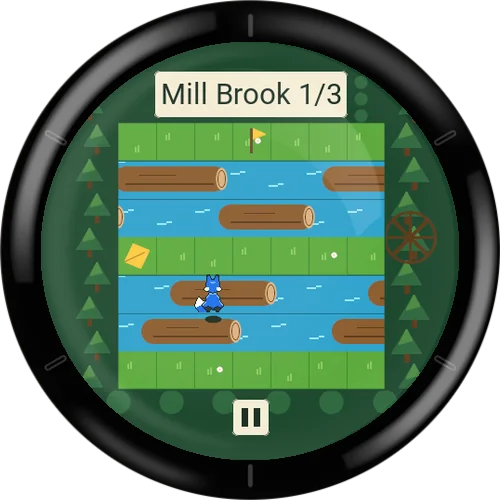
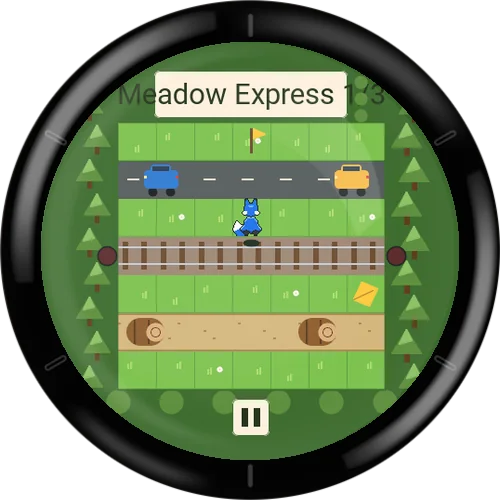
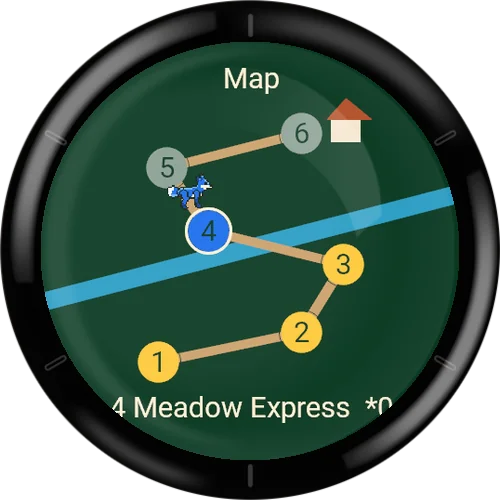
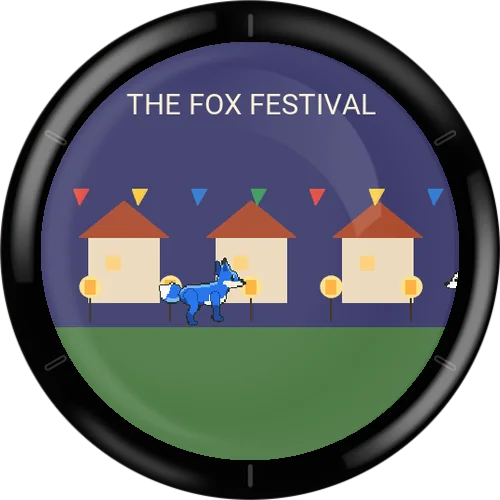
Fox Crossing
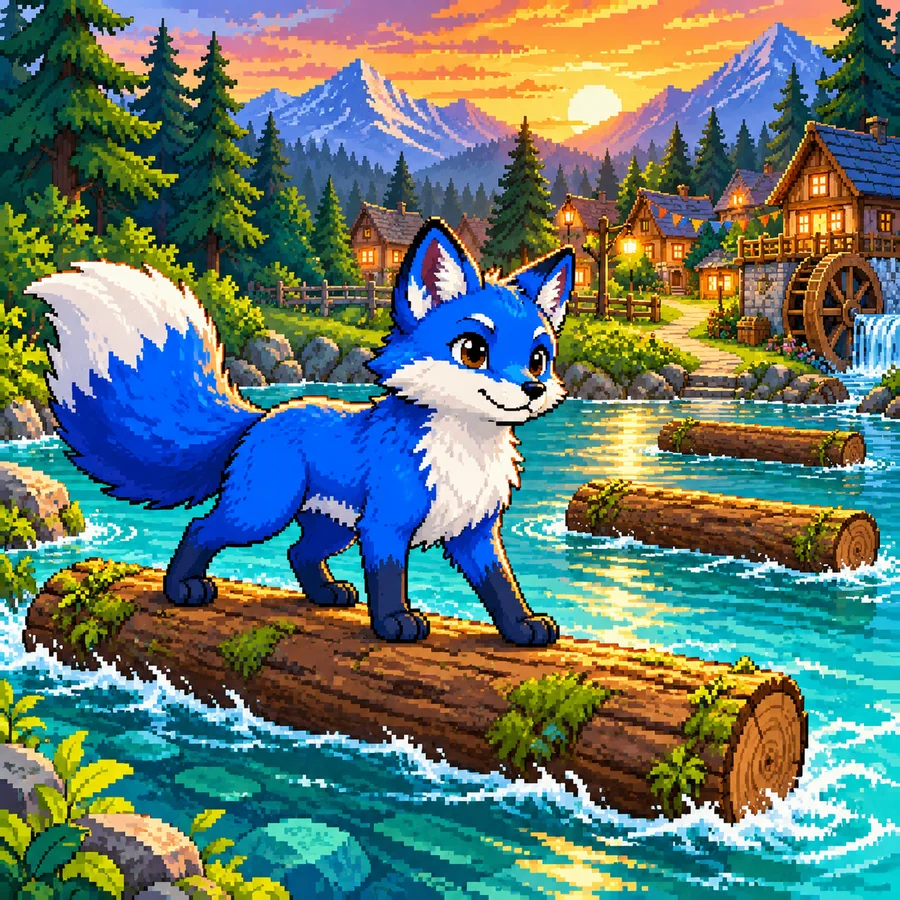
The blue fox missed the last ferry. The big fox festival is waiting on the other shore. Hop forward, left and right over rolling logs, village roads, railway tracks and rivers – on floating logs the current carries you along.
Six stations with three sections each, golden leaves and stars, a heart-warming homecoming finale – then the endless way with an online leaderboard.
Free to play: install the game from the Connect IQ Store on your phone or in the Garmin Connect IQ app.
Join in: in the app under Leaderboard → Join. No account, with a player name of your choice.
Free to play, happy to be supported
All my games are free. To keep programming new games I depend on donations. If you enjoy this game, I would be glad about a small contribution.
Go to the donation pageFeatures
- 6 levels with 3 sections each, checkpoints
- Every section checked solvable – no backward step needed
- Golden leaves and up to 3 stars per level
- Endless way with online leaderboard
- Buttons or swipes, training and practice field
- Choose the fur colour, German and English
Fox Crossing
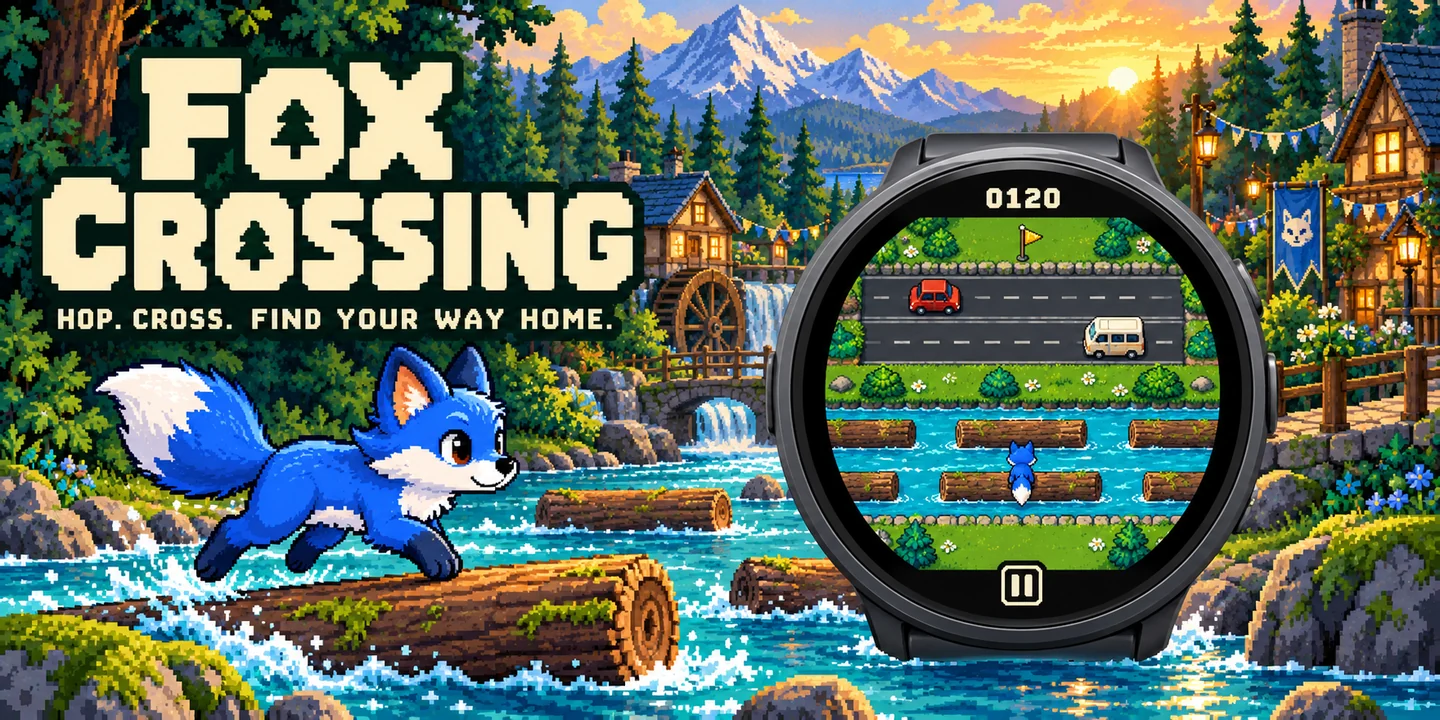
Wallpapers
Free phone wallpapers for this game - tap one to download it (1440 x 3200).



Game guide
Everything about the game: how it is played, every menu and every setting.
- How to play
- Controls
- The terrain
- Goal and scoring
- Levels and the map
- Endless way and online leaderboard
- Menus and screens
- Settings overview
- Settings: Game
- Settings: Display
- Settings: Controls
- Settings: Profile
- Small and low-memory watches
- Tips
How to play
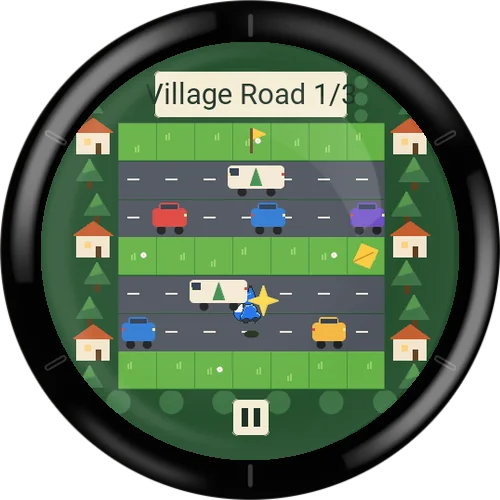
Fox Crossing is a small hopping game for your watch. The blue fox wants to get home to the fox festival. Each screen is a board of 7 rows. You start at the bottom and hop upwards, one field at a time, until you reach the top row.
Between the safe rows lie paths with rolling logs, roads, railway tracks and rivers. You can hop forward, left and right. There is no backward step, and every board of the story has been checked to be solvable without one.
One press or swipe is one hop. Holding a button does not repeat it. If you press nothing, the fox simply waits. While the fox is in mid-hop, the game remembers one further input and uses it right after landing; anything beyond that is ignored.
A mistake costs no hearts, lives or coins, because the game has none. If the fox is hit, falls into the water or is carried off the board, the same section starts again after a short moment.
Controls
You can play with the touchscreen, with the buttons, or with both, depending on your watch (see the setting Input). Taps on the board itself do nothing.
- Swipe up (touch)
- One hop forward.
- Swipe left / right (touch)
- One field to the side.
- Pause button (touch)
- The pause button below the board opens the pause menu.
- START (or SELECT) button
- Hop forward. On watches without a MENU or UP button this key is called SELECT. The Controls page shows the key names of your watch.
- UP / DOWN buttons
- UP hops left and DOWN hops right. The setting UP / DOWN can swap them.
- BACK button
- Opens the pause menu. In menus it goes back one step.
The terrain
Every row of a board is one of these types. Moving objects can only hurt you while you are on the row they move in.
- Grass and path
- Safe. You can stand here as long as you like.
- Rolling logs
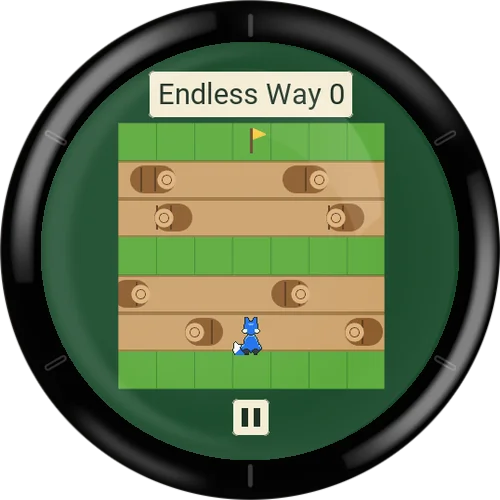
- Logs roll across the ground. Touching one means a mistake. Wait for a gap and hop through.
- Road
- Vehicles drive along the row. Touching one means a mistake.
- Railway
- A train crosses the row at long intervals and is very fast. A blinking warning light shows that a train is coming: wait on the safe row in front of the tracks until it has passed.
- River
- Water is only safe where a floating log is under you. On landing, your whole body must be on one log. On a log the current carries you sideways; hop off before it carries you out of the picture. A red arrow warns you when you get close to the edge. Water without a log, or being carried off the board, is a mistake.
- Golden leaf
- Some sections have a golden leaf on a small detour. Stand on it to collect it. It counts once you reach the goal of that section.
Goal and scoring
In the story the goal is to bring the fox across all 18 boards (6 levels with 3 sections each) and home. There are no points in the story: you collect golden leaves and stars instead.
In the endless way you earn score points, and in training your crossing time is measured.
- Golden leaves
- One leaf per section, so up to 3 per level. They are kept once you have reached the goal of that section.
- 1 star
- Level finished.
- 2 stars
- All three golden leaves of the level are collected (they may come from different attempts).
- 3 stars
- All three leaves collected in one run that started at section 1 and had no mistake at all. A level you resumed from a checkpoint, or any mistake, rules out the third star in that run.
- Endless score
- One point for every row you reach for the first time on a board, up to 6 per board. Reaching the top row brings the next board after a short pause.
- Training time
- The time of a crossing, shown like 12.4 s. The fastest time per training board is kept as a record.
Levels and the map
The story has six levels (stations) with three sections each: 1 Forest Path, 2 Village Road, 3 Mill Brook, 4 Meadow Express, 5 River Village and 6 Homecoming. Level 1 is open at the start; each finished level opens the next one. At the very first start of the story a short start film is shown.
After each section the next one starts automatically. After the last section of a level a short level film plays, then a result screen shows your stars and leaves. After level 6 the finale film plays. Films can be skipped with a tap or a key press shortly after they begin.
- Checkpoint
- When you finish a section, the next section becomes your checkpoint. If you leave the game, you can continue there.
- Continue
- In the Play menu, resumes at the checkpoint. The entry shows it as level-section, for example 2-3.
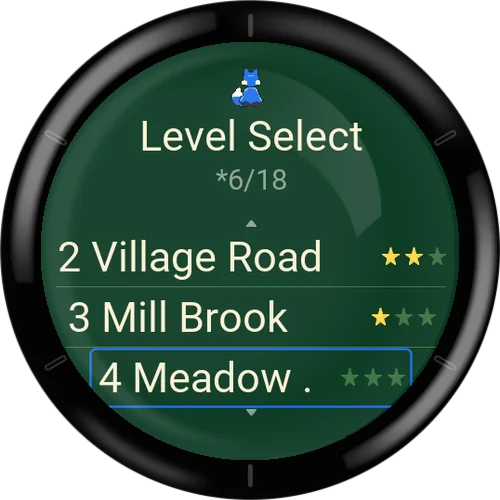
- Level Select
- Lists the six levels with their stars. A level you choose here always starts fresh at section 1. Locked levels cannot be started.
- Map
- Six stations on a winding path: finished stations are gold, the next one is in the fox colour, later ones are grey. The fox stands at your checkpoint. The name and stars of the selected station are shown below. With the buttons, UP and DOWN move the selection and the forward key starts the level. With touch, tap a station once to select it and a second time to start.
- Endless way unlocked
- After the homecoming (level 6) the endless way opens. Before that, it shows as Locked in the Play menu.
Endless way and online leaderboard
The endless way chains boards one after another until you make a mistake. The boards come from the story boards (some mirrored) and get harder as you go: every three boards the game steps up to the next level's boards. The look changes with the boards. A mistake ends the run.
The online leaderboard is optional. There is no account and no e-mail address. When you join, the game gives you an automatic player name. If you do not join, you only have local records, and endless runs show 'Offline - local score only'.
For an online run the server provides the board sequence and re-plays your recorded inputs to calculate the score itself. A run is recorded for up to 5000 inputs; a longer run goes on locally and is marked as too long for the online ranking. If the connection fails, the result is kept (up to 3 runs) and sent later, when you next open Records.
- Join
- In Profile and leaderboard. Creates your anonymous online identity. Until then the screen says that only local records exist.
- You run as ...
- Shows your automatic player name.
- Change alias
- Shows a code and a web address. Enter the code in a browser to change your name there.
- Sync
- Shows OK, or the number of results waiting to be sent. Selecting it tries to send them again.
- Delete online data
- After a confirmation question, deletes your online identity and your entries from the server and the waiting results on the watch. Your local records and story progress stay.
- After a run
- The result screen shows your rank and the gap to the next place. 'Pending' means the result is still being sent or checked, 'Rejected' means the server did not accept it.
Menus and screens
Menus work with UP and DOWN and the forward key, or by touch. BACK goes one step back.
- Start menu
- Title with the number of finished stations and stars (for example 3/6 stations and 7/18 stars). Entries: Play, Map, Records, Settings, Help, Quit. Quit closes the app.
- Play
- Continue, Level Select, Training and Endless Way (shows your best score, or Locked).
- Training
- Four practice boards: Rolling logs, Road, River and Railway. The patterns are slow, the records are local and nothing is unlocked. Your best time is shown next to each. After a crossing you can restart, go to the next training board or return to the main menu.
- Practice field
- A board without any danger, to try the controls. Open it from the Help menu.
- Pause menu
- Resume, Restart, Settings, Main Menu. The plate shows the level and section. Restart in the story means the level from section 1. A confirmation question (Yes / No) comes first and the answer No is preselected. After resuming, a short countdown or 'Ready' gives you time to prepare.
- Automatic pause
- The game pauses by itself when the screen is left or when the game was interrupted for more than about half a second.
- Level result
- Shows the stars and leaves of the level and which level opens next. Entries: Next (not after level 6), Map, Main Menu.
- Training result
- Shows the time and 'New record!' if it is your best. Entries: Restart, Next, Main Menu.
- Endless result
- Shows the score, 'New record!', and the online status. Entries: Restart, Records, Main Menu.
- Finale screen
- After the finale film: 'You are home.' with stations and stars. Entries: Endless Way, Map, Watch finale again, Main Menu.
- Records
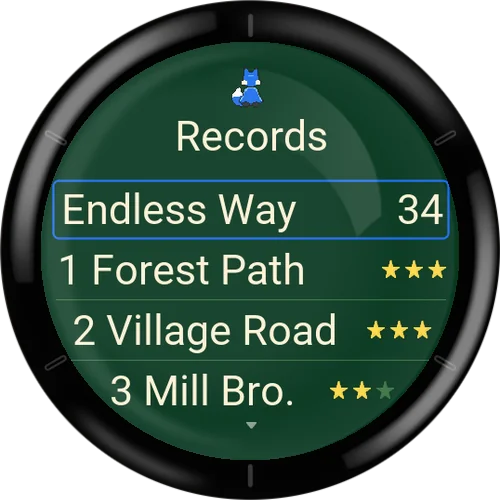
- Your best endless score, the stars of each level, and the best time of each training board (marked as local). Below, the Online section shows the top 10 of the endless leaderboard. If you are ranked lower, your own entry follows with its neighbours, marked 'You'. If the list cannot be loaded, the last saved list is shown with 'Offline - last list'. The last entry opens Profile and leaderboard.
- Help
- How to play (five pages with pictures), Practice field, Watch start film, Watch finale again (once the endless way is unlocked) and Reset story.
- Reset story
- After a confirmation question, clears only the story progress on the watch: stations, leaves and stars. Records, settings and online data stay.
Settings overview
Settings has four pages: Game, Display, Controls and Profile. You open them from the start menu or from the pause menu. Changes of the mode apply from the next run; colour and graphics change at once. Select a setting to open a list of its options and choose one.
Settings: Game
- Mode
- Options: Story, Training, Endless. Endless can only be chosen after the homecoming. The Play menu lists all modes anyway.
- Vibration
- Options: Off, On. A short buzz on a mistake and on a finished section (and a light one when you pick up a leaf). On by default if the watch can vibrate; otherwise greyed out with a note.
- Countdown
- Options: Off, On. On shows 3-2-1 before each section. Off shows a short 'Ready'. After a pause you always get a short preparation. On by default.
- Records
- Opens the Records screen.
Settings: Display
- Fox Colour
- Options: Blue, Orange, Red, Green, Violet, Pink. The fur colour of the fox in every view and film. A preview fox is shown while you choose.
- Details
- Options: Auto, Reduced, Full. Full shows trees, houses, waves and shadows. The rules are the same on every setting. Auto chooses Full on screens at least 240 pixels wide and Reduced on smaller ones.
- Contrast
- Options: Normal, High. High leaves out the decoration and strengthens the edge of the board.
- Language
- Options: Deutsch, English. The language of the texts in the app. At first it follows the watch language (German, otherwise English).
Settings: Controls
- Input
- Options: Auto, Touch, Buttons. Auto uses everything your watch has. Touch uses swipes only, Buttons uses the keys only. Options your watch cannot do are greyed out and explain why. Pause and Back always work.
- UP / DOWN
- Options: Standard, Swapped. Standard is UP = left and DOWN = right; Swapped reverses them. Only available on watches with the three buttons.
- Touch
- An information page: swipe up for forward, swipe left or right for one field sideways, the pause button below pauses.
- Buttons
- An information page with the key mapping of your watch: forward key, UP, DOWN and BACK for pause.
- Help with practice field
- Opens the Help menu.
Settings: Profile
This page is called Profile and leaderboard. It is also reachable from the last entry of the Records screen.
- Join
- Shown while you are not taking part. Creates the automatic online player name.
- Participating
- Shown once you have joined, with 'You run as' and your player name above.
- Change alias
- Gives a code and a web address to change the name in a browser.
- Sync
- OK, or how many results are pending. Select to try sending them.
- Delete online data
- Deletes the online identity and entries after a Yes / No question.
Small and low-memory watches
The game is not offered for watches with 128 KB of memory. On smaller or slower supported watches, the game adjusts itself without changing the rules.
- Full detail
- Needs about 200 KB of memory. On watches with less, Full is limited to Reduced; the setting shows an asterisk and a note.
- Slow drawing
- If the board needs too long to draw several times in a row, the game switches the richer graphics off until you close the app.
- No touchscreen or fewer than three buttons
- The game uses the buttons or the swipes that exist. The other option is greyed out.
- No vibration
- The Vibration setting is greyed out and stays off.
Tips
Take your time: nothing moves faster because you hurry. Waiting on a safe row costs nothing.
Watch a row for a moment before you hop in. Objects repeat their pattern.
On the river, look ahead to the next log before you leave the current one, and jump off early enough when the red arrow appears.
Before a railway row, wait for the warning light and let the train pass.
Use Training and the Practice field to get used to the hop timing and to your watch's controls.
For the third star, play the level from section 1 without a mistake and take every golden leaf.